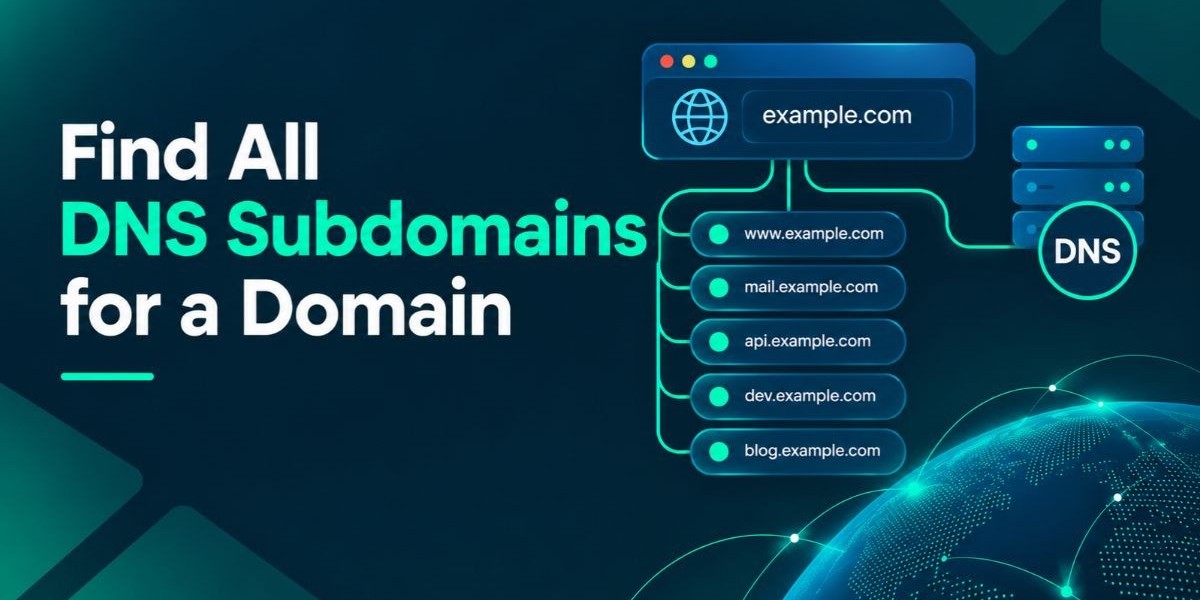

To find all DNS subdomains for a domain, combine passive sources, such as certificate transparency logs and public DNS data, with active checks, such as wordlist brute-forcing and name permutations, then confirm that every name actually resolves. A good subdomain finder automates the first pass in seconds. No single method catches everything, so the real goal is broad coverage plus careful verification.Subdomains matter because forgotten things live there: staging servers, old campaign pages, test logins and half-retired apps. The quickest way to start is to use a free online tool to find all dns subdomains for a domain from what public records already reveal. The rest of this guide shows you how to go deeper by hand, which tools fit Windows, Linux and Kali and how to turn a raw list into something your team can act on.
This article is written for MSSPs, MDR providers, penetration testers, bug bounty hunters and IT and security teams. You will get a plain definition, a step-by-step method, a comparison of techniques, the risks that come with forgotten hosts and answers to the questions people ask most.
What Is a Subdomain Finder?
A subdomain finder is a tool or method that discovers the subdomains attached to a parent domain, such as the staging, mail, or admin hosts that sit under a company's main name. It collects names from public sources like DNS records and certificate logs, sometimes guesses likely names from wordlists and returns a list for review. Security teams call the process subdomain enumeration.
A subdomain is simply an extra label placed to the left of a registered domain. It exists because someone created a DNS record for it, usually an A, AAAA, or CNAME record. Once that record is published, the name can be queried by anyone, which is why a dns subdomain lookup works at all.
You will see the same job described in many ways: list all subdomains of a domain, website subdomain checker, discover subdomains of a domain, or get all subdomains of a website. They all describe one task. The tool or technique changes, but the output is the same: a list of host names tied to one domain.
One point is worth stating early. Subdomains are rarely hidden in a technical sense. They are forgotten. A host that nobody remembers still sits in DNS or in certificate logs, waiting to be found by you or by someone less friendly.
How a Subdomain Finder Works
Most subdomain finders work in three stages. First they collect candidate names from many sources. Then they resolve each name through DNS to see whether it points anywhere. Finally they filter out noise such as duplicates, dead names and wildcard answers. The quality of a tool depends on how well it handles each stage.
Passive Collection
Passive enumeration gathers names from data that already exists, without sending traffic to the target's own infrastructure. The richest source is certificate transparency, a public record of issued TLS certificates. Others include passive DNS databases, search engine results, web archives and code repositories where developers accidentally paste internal host names.
This is why passive methods are popular for reconnaissance. They are quiet, fast and low risk. Their weakness is that they only show what someone, somewhere, has already recorded.
Active Collection
Active enumeration sends queries to find names that passive sources miss. The main techniques are DNS brute force using a wordlist, permutation of names already found (for example, adding dev, test, or numbers to a known host), attempts at a DNS zone transfer and reverse DNS lookups across an IP range.
Active work finds more, but it also creates traffic. That is why authorization matters and why the next section starts with scope.
Resolution and Filtering
A raw list of candidate names is not a result. Each name must be resolved and the answers must be checked. Wildcard DNS is the usual trap: when a domain has a wildcard record, every made-up name appears to resolve and a naive brute force reports thousands of fake hosts. Good tools detect this behavior and discard the false positives.
What the Mispar Tool Checks
The Mispar Subdomain Scanner is a free online tool that needs no signup. According to its tool page, it checks public DNS records, certificate logs and known naming patterns and it does not touch the target server directly. It is designed to surface items such as old staging environments, test servers and marketing pages that teams lose track of. The page also states plainly that no tool finds every subdomain, so the output is a starting point.
How to Find Subdomains of a Domain, Step by Step
Follow these steps in order. They move from quiet and cheap to noisy and thorough, which keeps your risk low and your results organized.
Step 1: Confirm Scope and Authorization
Before any active query, confirm that you own the domain or have written permission to test it. For bug bounty work, read the program scope carefully, because some programs exclude certain subdomains or ban brute forcing. Passive lookups are usually low risk, but active scanning of infrastructure you do not manage can breach terms of service or the law.
Step 2: Start With a Quick Online Scan
Begin with a baseline. An online tool gives you a first list in seconds and shows what public data already exposes. Using a free tool to find all dns subdomains for a domain at this stage costs nothing and needs no installation, which makes it handy on a locked-down work laptop or a phone. Save the output, because you will merge it with everything else later.
Step 3: Search Certificate Transparency Logs
Certificate transparency is often the single best source. Every publicly trusted certificate is meant to be logged and each certificate lists the host names it covers. A search front end such as crt.sh lets you query a domain and its subdomains using a percent sign as the wildcard and many tools do the same through its data.
Two cautions apply. Wildcard certificates cover many names with one entry, so they hide individual hosts. And a certificate can outlive the server it was issued for, so some names will no longer resolve. Censys also offers certificate search and it is worth cross-checking.
Step 4: Add Passive DNS and OSINT Sources
Next, pull from passive sources. This is where command-line tools shine. Subfinder, Amass, Assetfinder and Findomain each query many sources at once and deduplicate the results. Amass supports both passive and active collection and Subfinder is built around passive discovery. Many sources work better with API keys, so configure them if you can.
Online databases add depth. VirusTotal lists subdomains it has seen, SecurityTrails keeps historical DNS records and DNSdumpster maps hosts and records for a domain. Shodan and Censys can reveal hosts through the services and certificates they index. If you want to know how to use subfinder, start with a single domain, enable all sources and write the output to a file.
Step 5: Use Search Engine Dorking and Web Archives
Search engines index subdomains that no database lists. Use the site operator with the domain, then subtract hosts you already know with the minus operator and repeat as new names appear. This is a classic way to find subdomains using google dorks and the same approach works on Bing, DuckDuckGo and Yandex.
Web archives add history. The Wayback Machine can list URLs it captured for a domain and pulling the host portion of those URLs often reveals old campaign sites and retired apps that DNS no longer shows.
Step 6: Query DNS Directly With dig
The dig utility is the plain way to find subdomains using dig. First request the NS records for the domain to learn which name servers are authoritative. Then ask one of them for a full zone transfer, known as AXFR. On a well-run domain the server will refuse, because transfers should be limited to trusted secondary servers. But when one succeeds, it hands you the entire zone, so a single attempt is worth making on a domain you are authorized to test.
You can also request records such as MX, TXT and CNAME to spot hosts referenced inside them. Mail and verification records frequently point to names you have not seen.
Step 7: Brute Force and Permute, With Wildcard Control
Now go active. DNS brute force tries thousands of likely names from a wordlist. Gobuster has a DNS mode, ffuf can fuzz host names and dnsx and puredns resolve large lists quickly, with prudens built to filter wildcard answers. SecLists and Assetnote publish well-known wordlists for this.
Permutation tools take the names you already have and mutate them. Altdns, dnsgen and gotator turn a known host into variants such as dev-api, api-dev, stg, uat, beta and old. This step often finds the most interesting hosts, because teams name environments in patterns.
Step 8: Resolve, Probe and Merge
Combine every list, sort it and remove duplicates. Resolve the result with dnsx to keep only names that answer. Then probe the survivors with https to see status codes, page titles and technology hints. This separates live web hosts from names that only exist in DNS and it shows which ones deserve a closer look.
Step 9: Record, Compare and Repeat
Store the final list with the date. Compare it with what the owning team expects to see. Anything unfamiliar needs an owner, a purpose and a decision: keep, fix, or remove. Then repeat on a schedule, because new subdomains appear whenever a team launches a campaign page or a test environment.
How to Find Subdomains Without Brute Force
If you need a quiet approach, skip Step 7. Combine certificate transparency, passive DNS databases, search engine dorking, web archives and a zone transfer attempt. You will miss some unusual names, but you will leave almost no trace on the target and avoid the false positives that wildcard DNS creates.
Platform Notes: Windows, Linux and Kali
Most of the tools above run well on Linux and Kali Linux ships with several recon tools already. On Windows, you can use Windows Subsystem for Linux to run the same command-line tools, or rely on browser-based services. A subdomain finder Python script works on any system with Python installed and GitHub hosts many of them. Treat unfamiliar scripts with care: read the code before running it, because a recon script is still software from a stranger.
Browser extensions and a subdomain finder API sit at the convenient end. Extensions usually depend on third-party databases, so their coverage is only as good as that data. APIs suit teams that want to schedule checks and feed results into their own workflows.
Why Security Teams and MSSPs Need a Subdomain Finder
Security teams need a subdomain finder because you cannot defend a host you do not know exists. Every subdomain is part of the attack surface and the ones nobody owns are the easiest to overlook. The Mispar tool page puts it simply: most breaches do not start at the main website, they start at a subdomain nobody remembers.
Shadow IT and Forgotten Hosts
Marketing runs a campaign microsite, a developer spins up a test server and a vendor sets up a portal. Months later nobody maintains them. This is shadow IT in its most ordinary form. The Mispar page notes that an abandoned subdomain can still run outdated software or host a login page and attackers look for these because they are less likely to be patched or monitored.
Subdomain Takeover Risk
A takeover happens when a DNS record, often a CNAME, still points to an external service that has been cancelled or deleted. If the service lets someone claim that name, a stranger can serve content from your subdomain. Defenders look for dangling records for this reason and attackers use a subdomain takeover finder approach to hunt them. OWASP treats subdomain takeover as its own test case in the Web Security Testing Guide.
Value for MSSPs and MDR Providers
For an MSSP, a subdomain list is a fast way to understand a new client's footprint before any contract work begins. It supports onboarding, scoping and recurring checks and it gives analysts a concrete list to compare against what the client believes it owns. The same list helps an MDR team know which hosts to expect in telemetry and which ones should never appear.
Value for Pentesters and Bug Bounty Hunters
Subdomain enumeration for bug bounty and pentest work is usually the first reconnaissance step. More subdomains mean more places to look for exposed panels, outdated software and weak configuration. Hunters who build a clean, resolved, deduplicated list early tend to spend their time testing instead of sorting.
Subdomains and SEO: Why Marketers Care Too
An SEO audit also benefits from knowing every host. Search engines treat a subdomain as a separate site in many respects, so an old blog subdomain can split authority, or an abandoned test site can get indexed and show duplicate content. To find indexed subdomains in Google, use the site operator with the domain and exclude the main host.
The long-running debate of subdomain vs subdirectory for SEO depends on the project, so choose by structure and ownership rather than by rumor. A competitor subdomain finder search is legitimate for research, since it uses only public information, but keeps it to passive methods.
Key Features to Look For in a Subdomain Finder
The best subdomain finder for your team depends on your job, but a handful of features separate useful tools from noisy ones. Use this list to evaluate any option, free or paid.
Source coverage: it should draw on certificate logs, public DNS records and other passive data, not just one source.
Resolution and filtering: it should confirm that names resolve and handle wildcard DNS so you are not buried in false positives.
Naming-pattern checks: common names such as staging, test and dev should be tried, since teams reuse them.
Passive by default: a tool that does not touch the target directly is safer for first-pass reconnaissance.
Clear limits: honest tools say they cannot find everything. Be wary of any claim of a complete list.
Low friction: no signup, no installation and a browser-based option save time when you only need a quick check.
Export and automation: for ongoing work, you want results you can save, compare and feed into other tools.
The Mispar tool is free, runs online, requires no signup and covers public DNS records, certificate logs and known naming patterns. It states that it is a starting point rather than a full attack surface audit, which is the right way to think about any single tool.
Free vs Paid Subdomain Finder Tools
Free tools are enough for a baseline. Open source command-line tools such as Subfinder, Amass and Assetfinder cost nothing and give you control, while free online scanners give you speed. If you are comparing Subfinder vs Amass, the short version is that Subfinder focuses on fast passive discovery, while Amass offers broader collection and mapping options at the price of a heavier setup.
Paid services add things that are hard to build yourself: long historical DNS data, large indexes and APIs with generous limits. Pricing changes often, so check each vendor directly instead of relying on a blog post. If you are looking for a Sublist3r alternative or a DNSdumpster alternative, the usual candidates are Subfinder, Amass and a certificate transparency search and the right choice depends on whether you prefer a command line or a web page.
Comparison Table: Subdomain Discovery Methods
This table compares the main techniques side by side, so you can decide which to combine.
Method | Type | Touching target? | Best for | Main limitation |
Online subdomain finder (public DNS records, certificate logs, naming patterns) | Passive | No, uses public records | Fast baseline in a browser | Misses names absent from public sources |
Certificate transparency search | Passive | No | Names that ever had a public certificate | Wildcard certificates hide hosts; some names are dead |
Passive DNS databases and OSINT APIs | Passive | No | Historical and third-party observations | Coverage depends on the provider; may need keys |
Search engine dorking and web archives | Passive | No | Old or indexed web hosts | Only finds pages that were crawled or archived |
Zone transfer attempt (AXFR) | Active | Yes, queries name servers | Complete zone when misconfigured | Usually refused on well-run domains |
DNS brute force with wordlists | Active | Yes, many DNS queries | Common names missing from public data | Noisy; wildcard DNS causes false positives |
Permutation and alteration tools | Active | Yes, DNS queries | Variants of known hosts | Needs a good seed list to work well |
Reverse DNS across IP ranges | Active | Yes | Neighbors on the same ranges | Depends on PTR records being set |
Common Mistakes When Finding Subdomains
Even experienced testers repeat a few errors. Avoiding them saves hours.
Trusting one source. Every source has gaps, so a single tool's list is never final.
Ignoring wildcard DNS. Without filtering, a brute force run reports hosts that do not exist.
Skipping resolution. A name in a certificate log may point nowhere today.
Forgetting to recheck. A list from last quarter is already stale.
Scanning without permission. Active probing of systems you do not manage is risky, whatever your intent.
Never assigning owners. A list nobody acts on does not reduce risk.
Interesting Facts About DNS and Subdomain Discovery
These points come from standards documents and project policies, so you can verify each one yourself. No reliable public figure tells you how many subdomains a typical organization runs, so be suspicious of any article that quotes one without a source.
According to RFC 1035, the IETF specification for DNS, a single label can be up to 63 octets and a full domain name up to 255 octets, which sets the outer limits for subdomain structure.
The IETF published RFC 6962 in 2013 to define Certificate Transparency, a system of public, append-only logs for TLS certificates. This is why a certificate issued years ago can still reveal a host name today.
Chromium project policy has required certificate transparency compliance for newly issued publicly trusted certificates since April 2018, which expanded the data available to anyone searching the logs.
RFC 5936 defines AXFR, the full zone transfer mechanism meant for copying zones between authoritative servers. Operators are expected to restrict it, so an open transfer signals a misconfiguration.
RFC 4592 describes how DNS wildcards work: a wildcard can make names that were never created appear to resolve, which is why brute-force output needs wildcard filtering.
The OWASP Web Security Testing Guide lists subdomain takeover as a dedicated test case within its configuration and deployment management checks.
Conclusion
To find all DNS subdomains for a domain, start broad and passive, go active only with permission and always verify what resolves. Certificate logs, passive DNS, search engines, direct DNS queries, brute force and permutations each cover a different gap and together they produce the most complete picture you can reasonably get. No method finds everything, so treat every list as a living record, not a final answer.A reliable subdomain finder gives you the fast first pass and the manual steps above give you depth. For a quick baseline, try the free scanner from Mispar, which is a platform built for MSSPs, then repeat your checks after every major launch. Teams that do this regularly spot forgotten hosts before attackers do. You can learn more about the platform at Mispar.
Frequently Asked Questions (FAQs)
How do I find all DNS subdomains for a domain?
Combine passive and active methods. Search certificate transparency logs, query passive DNS databases, use search engine dorks, then try a zone transfer, brute force and permutations. Resolve every result and remove duplicates. No single method is complete, so merge the lists.
Is a free subdomain finder accurate?
It is accurate for what it can see, but it is not complete. Free tools rely on public DNS records, certificate logs and common naming patterns, so names outside those sources may not appear. Use the output as a starting point and verify it with a second method.
What is the difference between passive and active enumeration?
Passive enumeration collects names from existing public data, such as certificate logs and passive DNS, without querying the target's systems. Active enumeration sends queries, such as brute force or zone transfer attempts, to discover more. Active methods find more but need authorization.
Can I find subdomains without brute force?
Yes. Certificate transparency logs, passive DNS databases, search engine dorking, web archives and a zone transfer attempt all work without a wordlist. You may miss unusual names, but the approach is quiet and avoids wildcard false positives.
Is it safe to look up subdomains of a domain I do not own?
Looking at public records is generally low risk, but you should still get authorization before scanning infrastructure you do not manage. Passive lookups use public information. Active probing can break a provider's terms or local law, so check scope first.
How often should I check for new subdomains?
Check regularly, because new subdomains appear whenever a team launches a campaign page or test environment. Many teams review monthly or after any major launch. Compare each new list with the last one and investigate anything unfamiliar.