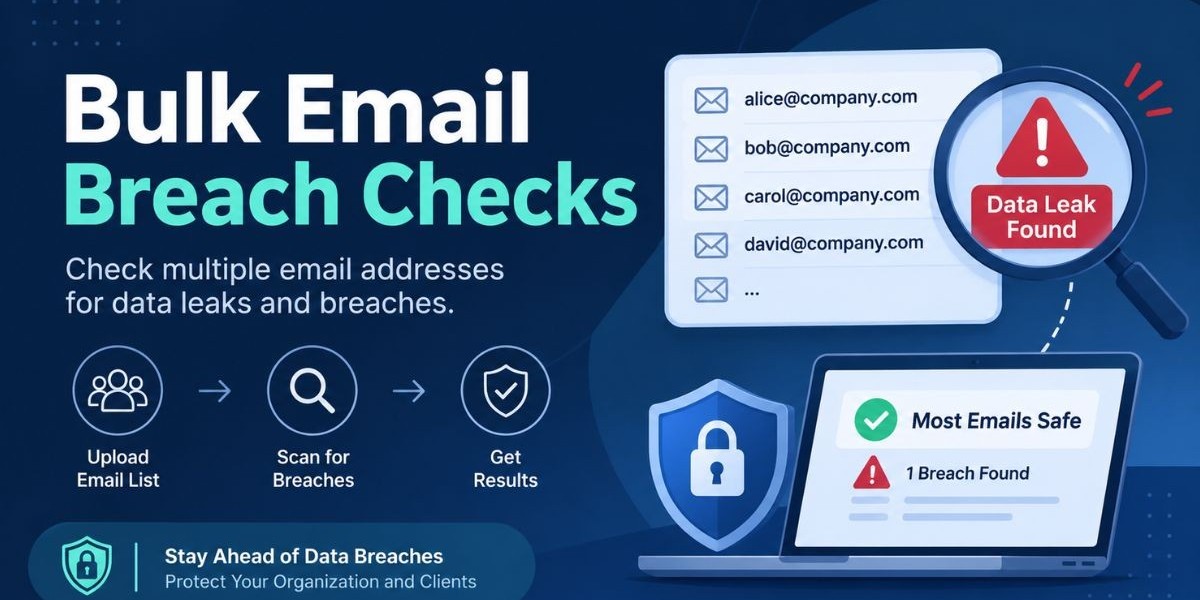

A single leaked email address rarely makes the news. A few hundred of them, tied to the same company, are a different story. Attackers do not care about one stray login. They care about the pattern, because a pile of exposed employee addresses is a ready-made target list for phishing, password guessing and account takeover.That is why security teams, MSSPs and MDR providers keep asking the same question: how do we run a bulk email breach check without spending a week on it? The honest answer has a few moving parts. You need to know what a breach check actually looks at, which tools handle volume and where a simple lookup stops being enough. A quick lookup is a good first move for a single address, but a bulk email breach check calls for a clear process around it.
This guide walks through the whole picture. You will learn what an email breach check is, how the lookups work behind the scenes, how to approach checking multiple emails, what to do when something turns up and how to choose between free and paid options. It is written for people who already know the vocabulary and want a straight answer.
What Is an Email Breach Check?
An email breach check is a lookup that tells you whether a specific email address has appeared in a known data breach, infostealer log, or leaked credential dump. You enter an address, the service searches its collected data and you get a yes or no along with context about where the address surfaced.
The result matters because exposure is the first step in most credential-based attacks. If an address shows up in a breach, the credentials attached to it may already be circulating among criminals. Knowing that early gives you time to reset passwords, enforce multi-factor authentication and watch for suspicious sign-ins before anyone abuses the account.
A bulk email breach check applies the same idea to a list of addresses instead of one. The goal is identical: find out which accounts are exposed so you can act on them. The difference is scale and scale changes how you organize the work, how you handle the results and how carefully you treat the data.
Bulk Email Breach Check vs. Checking One Address
Checking one address is a quick, low-effort task. You type it in, read the answer and move on. Nothing about it needs a process.
A bulk check is closer to a small project. You start with a list, often pulled from a directory, a client roster, or an HR export. You need a way to run the lookups, a way to record which addresses were exposed and a plan for who follows up with each affected person. Without that plan, the results just sit in a spreadsheet.
Here is one point worth stating plainly. The free Mispar email breach check tool checks one email at a time. It is built to run a check, not to build a list of addresses. If your job involves hundreds of employee mailboxes, you would use it for quick spot checks and use a continuous monitoring approach for the rest. The sections below explain how those pieces fit together.
How an Email Breach Check Works
Behind every email breach check is a collection of leaked data that someone has gathered, cleaned and made searchable. Providers build these collections from several kinds of sources and each source tells a different story.
Public breaches are the most familiar. A company is compromised, its user database is published or sold and researchers add the exposed records to searchable collections. These tend to be well documented, which makes them easier to attribute to a named incident.
Breach forums are where stolen data is traded and discussed. Criminals post databases, advertise access and sometimes share samples. Monitoring these spaces helps a lookup service catch exposure that never reaches a formal public disclosure.
Infostealer logs are a newer and fast-growing category. Infostealer malware runs on an infected device and collects saved browser logins, session cookies and other data, then ships it to the attacker. Because the data comes from a live machine, it can include credentials for many different services in one package.
Combolists are bulk files of email and password pairs, usually assembled from older breaches and stitched together for credential stuffing. They are large, messy and often recycled, but they remain a staple for attackers.
When you run an email breach check, the service compares your address against these sources and reports whether it appears. The Mispar tool, for example, searches breach forums, infostealer logs, combo list data and public breaches. It does not display the leaked password itself, which is a sensible design choice for a tool anyone can use.
One caveat applies to every lookup. No collection of leaked data is complete. A clean result means the address was not found in what the service has gathered. It does not prove the address has never been exposed anywhere.
How to Check If Multiple Emails Have Been Breached
Checking many addresses goes smoothly when you treat it as a short workflow. These steps work whether you manage a handful of mailboxes or a client with a large staff.
Define the scope and confirm authorization. Decide which addresses you are checking and make sure you are allowed to check them. Your own accounts and the accounts at a company you manage are fine. Checking addresses you have no authority over is not.
Prepare a clean list. Remove duplicates, fix obvious typos and separate active mailboxes from old or disabled ones. A tidy list saves time and avoids confusing results.
Prioritize the addresses that matter most. Start with administrators, finance staff, executives and anyone with access to sensitive systems. A leaked admin address is a bigger problem than a leaked shared mailbox.
Run the lookups. For a small bulk email breach check, the free tool works address by address, takes seconds and needs no signup. Work through your priority group first and record whether each address was found.
Log the results in a simple tracker. Note the address, whether it was exposed, the type of source if known and the date you checked. Keep the tracker restricted, since it is itself a sensitive document.
Act on every exposed address. Trigger password resets, confirm multi-factor authentication is on and review recent sign-in activity for those accounts.
Decide how you will keep watching. A single pass is a snapshot. Leaks keep happening, so you need a repeat schedule or a continuous approach.
This is where the free tool and a monitoring platform divide the work. Manual lookups are fine for spot checks and for small groups. When the list is long or the clients are many, repeating that by hand every month stops being realistic and automation becomes the better answer.
What to Do If an Email Shows Up in a Breach
An exposed address is a warning, not a verdict. It tells you the account may be at risk. The right response is calm, quick and methodical.
Start by changing the password on the affected account. Pick a new one that is long and unique and do not reuse it anywhere else. If the person used the same password on other services, change those too, because attackers routinely test leaked credentials across many sites.
Next, turn on multi-factor authentication if it is not already active. Even if a password has leaked, a second factor can stop a login attempt cold. Prefer app-based or hardware-based factors over text messages where you can.
Then review the account. Look at recent sign-ins, forwarding rules, connected apps and any recovery options that might have been changed. Attackers who get in often set up quiet forwarding so they can read mail long after a password reset.
If the exposure came from an infostealer log, widen the response. That type of leak means a device was probably infected. Resetting a password is not enough on its own. The device needs to be scanned and cleaned and active sessions should be revoked, since stolen session cookies can sometimes bypass a password change.
Finally, tell the person involved in plain language. People respond better to a clear explanation than to a vague alarm. Explain what was found, what you did and what you need them to do.
Why Security Teams and MSSPs Need an Email Breach Check
For an internal security team, the logic is simple. Employee credentials are one of the most common routes into a company network. Knowing which staff addresses appear in leaks lets you close that route before it is used.
For MSSPs and MDR providers, the stakes multiply. Every client brings its own domain, its own staff and its own exposure. A provider that can show a client which accounts were leaked and what was done about it, delivers a concrete, visible result. That kind of proof tends to matter in renewals and in new sales conversations.
There is also the matter of timing. A breach disclosed months ago may only now be turning up in credential stuffing campaigns. A fresh infostealer log may reveal exposure that no public breach notice ever mentioned. Checking early and checking again later is how you stay ahead of that curve.
Mispar's platform context is worth a mention here. Live Search lets a team check any email, domain, or username on demand and the Watch List catches new leaks automatically after that. The free email breach check is a simple entry point, while those platform features are aimed at teams that need ongoing coverage. For details on how they work for your setup, refer to the product pages directly.
Credential Stuffing Explained
Credential stuffing is the main reason an exposed email address deserves attention. It is an automated attack in which criminals take large lists of leaked email and password pairs and try them against login pages across many services. OWASP describes it as a distinct class of automated threat for this reason.
The attack works because people reuse passwords. If someone used the same password for a forgotten shopping site and their work email, a breach of the shopping site hands the attacker a working key to the work account. The attacker does not need to hack anything. They just need a list and some automation.
Combolists feed this directly. They are the raw material, collected from earlier breaches and sold or shared in bulk. Attackers run them through tools that test thousands of logins quickly, rotating through proxies to avoid simple blocking.
Defenses are well understood. Unique passwords per account, multi-factor authentication, rate limiting on login pages and screening passwords against known compromised lists all reduce the odds. NIST password guidance recommends checking new passwords against lists of compromised values, which is the same thinking applied at the point of password creation.
A breach check supports this defense from the other side. It tells you which of your accounts have appeared in leaked data, so you can force a reset before an attacker's automation reaches them.
Responsible Use and Authorization
Breach lookups are powerful and that is exactly why they should be used with care. The Mispar tool does not require proof of ownership, but it is meant for your own accounts or accounts you are authorized to monitor, such as employee emails at a company you manage.
In practice, that means getting clear permission before you check addresses that are not yours. For an MSSP, that permission usually lives in the client agreement. For an internal team, it lives in company policy. Either way, write it down.
Handle results with the same caution. A list of exposed employee addresses is sensitive. Share it only with the people who need it, store it in a restricted location and delete it when it has served its purpose.
Never use breach data to harass, impersonate, or pressure anyone. The purpose of a check is defensive. Treating it as anything else creates legal and ethical trouble and undermines trust in the whole practice.
If you want to understand exactly how the tool treats the address you enter, the best source is the privacy policy linked on the tool page. The tool page states that the address is used only to run the check, but the privacy policy is the place for the exact details of data handling.
Key Features to Look For in a Bulk Email Breach Checker
Not every checker is built for the same job. When you evaluate options for checking many addresses, these are the qualities that separate a useful tool from a frustrating one.
Source coverage. Ask which kinds of data the service searches. Public breaches alone miss a lot. Coverage that includes breach forums, infostealer logs and combolist data gives a fuller picture.
Clear handling of results. A good tool tells you whether an address was found and gives enough context to act. It should not casually expose leaked passwords, because that creates new risk.
Support for volume. If you truly need to check hundreds of addresses, confirm how the service handles lists, whether through an upload, an API, or a platform workflow. Do not assume a free single-lookup tool does this.
Domain-level visibility. For business use, the ability to look at a whole domain rather than address by address saves enormous time.
Ongoing monitoring. New leaks appear constantly. A tool that rechecks for you and flags new exposure is far more useful than one you must remember to run.
Transparent data handling. You should be able to read how the provider treats the addresses you submit.
Reporting you can share. MSSPs especially need output that makes sense to a client who is not a security specialist.
No single option wins every category. The right choice depends on whether your need is occasional or constant and whether the accounts are yours or belong to many different clients.
Email Breach Check Options Compared
The table below compares the common ways people approach a bulk email breach check. It is a general comparison of approaches, not a ranking of specific products.
Approach | Best for | Main strength | Main limitation |
Free single-address lookup | Spot checks on a few accounts | Fast, simple, no cost | Checks one address at a time |
Manual repeat lookups | Small teams with short lists | No extra tooling needed | Slow and easy to forget |
Public breach notification search | Individuals checking their own address | Well known and trusted | Not built for checking many addresses at once |
API or upload-based bulk lookup | Teams with long address lists | Handles volume | Usually needs a paid plan and some setup |
Domain-level monitoring | Companies and MSSPs covering whole domains | Wide coverage with less manual work | Needs ownership or authorization for the domain |
Continuous watch list | Ongoing protection of key accounts | Catches new leaks automatically | Takes planning and is usually part of a paid platform |
The pattern is easy to see. Free single lookups are the lightest option and work well for occasional use. As volume and frequency rise, the work shifts toward automation, domain-level views and continuous monitoring.
One-Time Check vs. Continuous Monitoring
A one-time bulk email breach check answers a narrow question: which of these addresses are exposed right now? It is useful for an audit, an onboarding review, or a quick look before a client meeting.
Continuous monitoring answers a different question: tell me when any of these addresses becomes exposed. That matters because leaks do not stop. An address that is clean today can appear in a new infostealer log next month.
Think of the one-time check as a photograph and monitoring as a security camera. The photograph is fine for a moment in time. The camera is what catches the event you did not see coming.
For most MSSPs, the sensible approach combines both. Run an initial sweep to find existing exposure and fix it. Then move to ongoing monitoring so new exposure is caught without anyone remembering to look.
Free vs. Paid Tools
Free tools have a real place. They cost nothing, need little setup and are ideal for quick checks. The free Mispar tool is free with no signup, which makes it easy to try. It also has a clear scope: it checks one email at a time.
Paid tools usually add what free ones leave out. These can include handling of larger lists, domain-level views, automated rechecks, alerts and reporting. The price is real, so weigh it against how much manual effort and risk you are carrying today.
A sensible way to decide is to count your addresses and your frequency. If you have a handful of accounts and check now and then, free is enough. If you manage many clients or a large workforce and need ongoing coverage, a paid platform pays for itself in saved hours and faster response.
Be skeptical of any tool that promises perfect coverage. Leaked data is scattered and incomplete and honest providers say so.
Common Mistakes When Checking Multiple Emails
Even experienced teams slip on a few predictable points.
The first is treating a clean result as a guarantee. A clean result only reflects the data the service has collected. Keep multi-factor authentication and strong password practices in place regardless.
The second is checking once and stopping. Exposure changes over time. A single sweep goes stale quickly.
The third is ignoring authorization. Checking addresses without permission creates legal and trust problems. Always confirm you are allowed to check what you are checking.
The fourth is mishandling the results. A spreadsheet of exposed employee addresses can end up in the wrong inbox. Restrict access and clean up when you are done.
The fifth is fixing only the password. When an infostealer is involved, the infected device and active sessions matter just as much as the credential.
The sixth is failing to follow up with people. A result that nobody acts on has no value. Assign an owner for every exposed address.
Interesting Facts About Email Breaches
These points come from widely reported research and public guidance. Sources are described by type rather than by invented figures.
According to the Verizon Data Breach Investigations Report across recent years, the use of stolen credentials has consistently ranked among the most common ways attackers gain initial access to organizations.
OWASP identifies credential stuffing as an automated threat that relies on previously leaked username and password pairs being tried against other services.
NIST digital identity guidance recommends that services screen new passwords against lists of known compromised values instead of relying on complexity rules alone.
Security research publications describe infostealer malware as capable of collecting saved browser logins and session cookies from an infected device, which can expose credentials for many services at once.
Public breach notification services, the best known being Have I Been Pwned, were created so individuals could learn whether their address appeared in a disclosed breach and their public search page checks one address at a time.
Industry breach reports regularly note that password reuse across accounts is one of the reasons a single leak can lead to problems on unrelated services.
If you plan to quote any of these in your own work, check the latest edition of the source, since reports are updated and wording changes from year to year.
Conclusion
A bulk email breach check is really a process, not a single click. You define the scope, prepare the list, run the lookups, record the results, fix what is exposed and decide how you will keep watching. The lookup itself is the easy part. The discipline around it is what protects accounts.For quick checks, a free email breach check gives you an immediate answer with no signup and it never reveals the leaked password. For larger lists and ongoing coverage, teams should move toward domain-level visibility and continuous monitoring so new exposure is caught without manual effort. Whichever path you take, use these tools only on accounts you own or are authorized to monitor and keep the results tightly controlled.If your team or your clients need coverage beyond one-off lookups, Mispar offers Live Search for on-demand checks of any email, domain, or username, along with a Watch List that catches new leaks automatically after that.
Frequently Asked Questions (FAQs)
How do I check if multiple emails have been in a data breach?
Check each address with a breach lookup, starting with your highest-risk accounts and log the results. The free Mispar tool checks one email at a time, so larger lists call for repeat checks or a monitoring platform.
Is a free email breach check safe to use?
It can be, provided the tool is reputable and explains how it handles your data. The Mispar tool is free with no signup and its page says the address is used only to run the check. Read the privacy policy for exact details.
What should I do if my email was found in a breach?
Change the password right away, use a unique one and turn on multi-factor authentication. Then review recent sign-ins and forwarding rules and change the same password anywhere else you used it.
Can I check someone else's email address?
Only with permission. The Mispar tool does not require proof of ownership, but it should be used for your own accounts or accounts you are authorized to monitor, such as employee emails at a company you manage.
What is credential stuffing?
Credential stuffing is an automated attack where criminals try leaked email and password pairs on many websites. It works because people reuse passwords, so one leak can unlock several unrelated accounts.
Does a leaked email mean my password was stolen?
Not always. An address can appear in a breach without a password being exposed. Even so, treat it as a warning, change your password and enable multi-factor authentication to be safe.